DriveUploader supports discount codes for eligible subscriptions and promotional offers. The way a discount code is applied depends on your current subscription status.
Using a discount code during a free trial
If you have started a free trial and received a discount code, you can apply it directly from your DriveUploader account.
- Log in to your DriveUploader account.
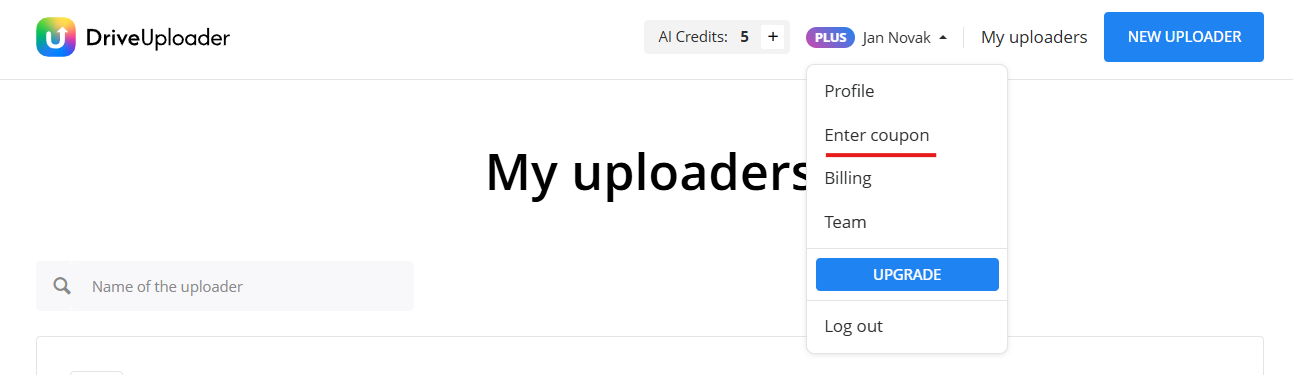
- Click your profile name in the top-right corner.
- Select Enter coupon from the menu.
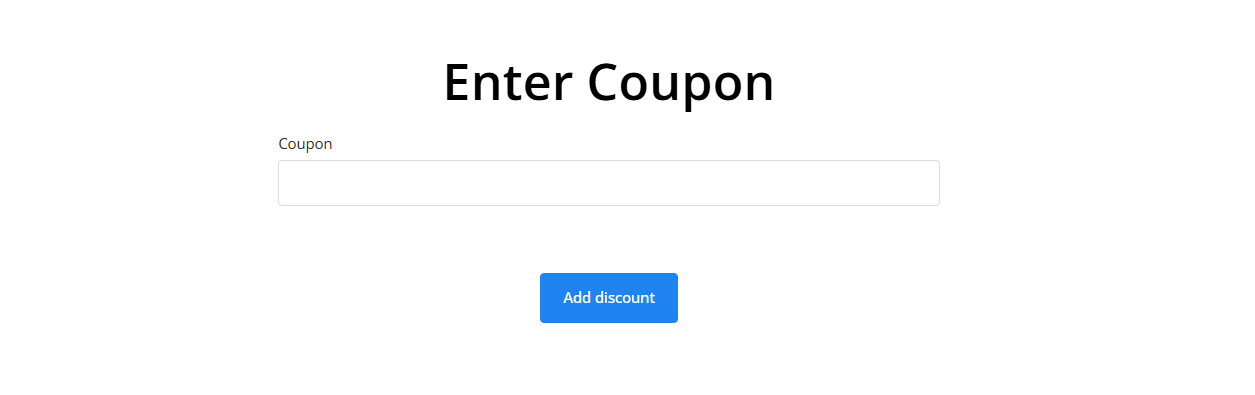
- Enter your discount code.
- Click Add discount.
Upgrading an existing subscription
This part applies to customers who already have a DriveUploader subscription and want to upgrade their plan with a discount code.
If you already have a DriveUploader subscription, you can upgrade your plan whenever you need. During this process, you can also use your discount code.
To apply your discount code, select the desired plan and billing period on the Pricing page.
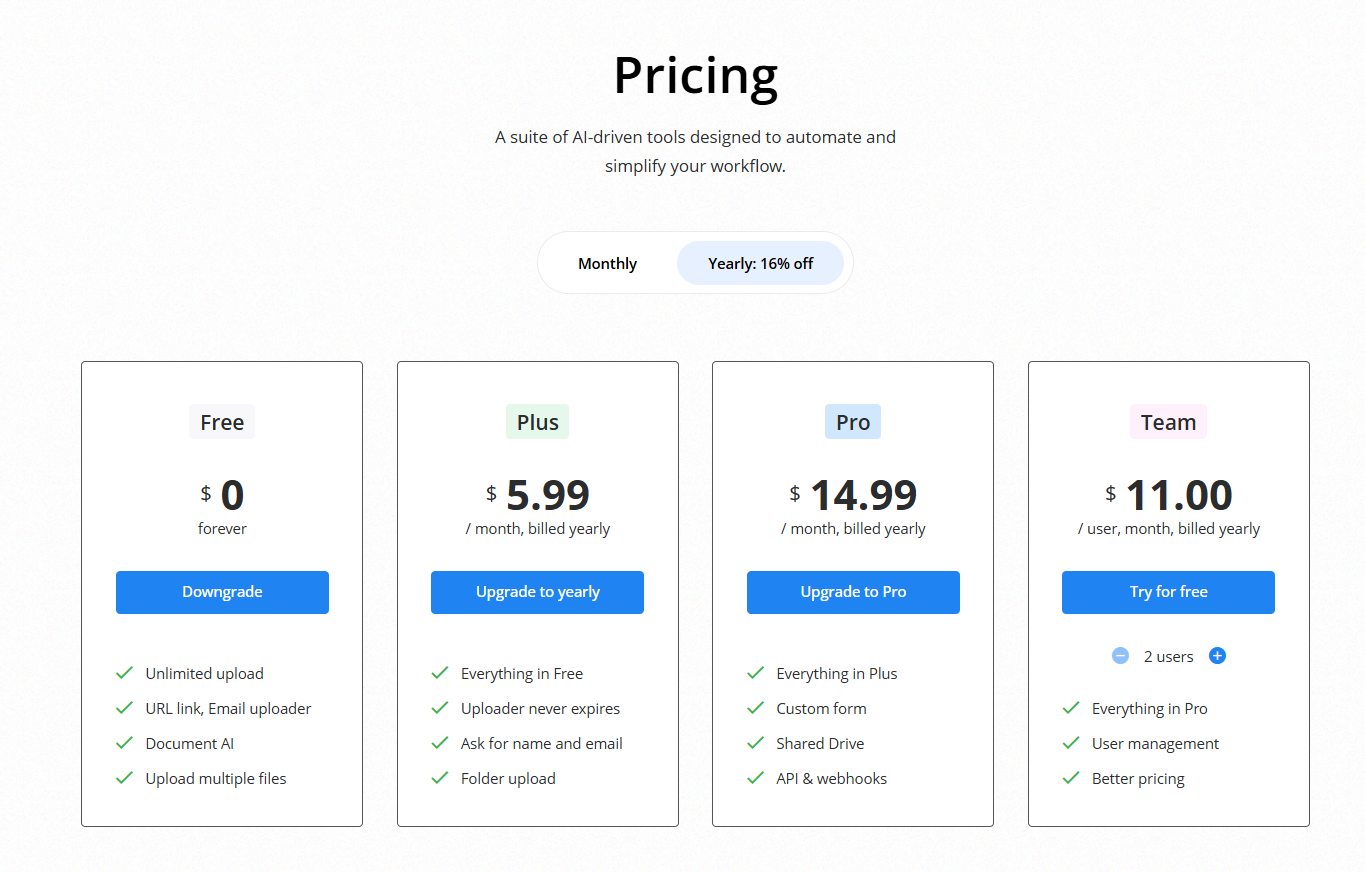
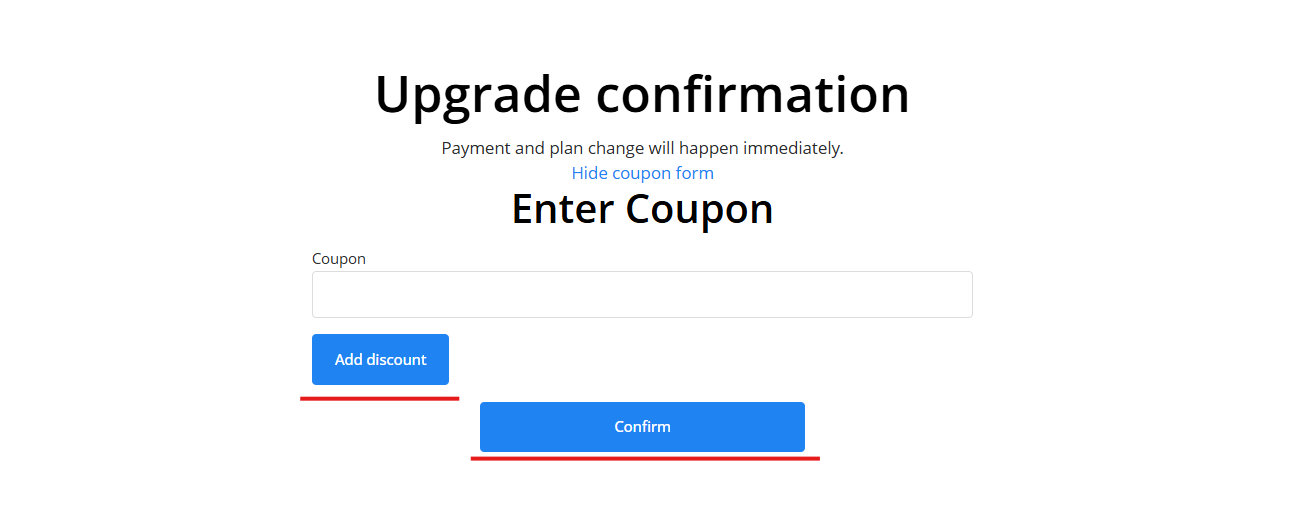
Once you select the desired plan, you will be prompted to confirm the upgrade. You can apply the discount code on this page.

Enter your discount code. Please don't forget to apply the code and then confirm the upgrade.
Changing from the old monthly-based (FastSpring) to a yearly-based subscription
This part applies to customers who want to upgrade their legacy subscription (monthly billing only, with FastSpring as the payment system provider).
If you are using our older types of subscriptions, where it was only possible to use monthly billing, you may want to upgrade to yearly billing. We have changed our payment system provider, so during this process you will have to enter your payment details. You can start by selecting Yearly billing and choosing the plan on the Pricing page.
During the payment process, after entering your email and confirming the location, you can enter your discount code before you choose the payment method.
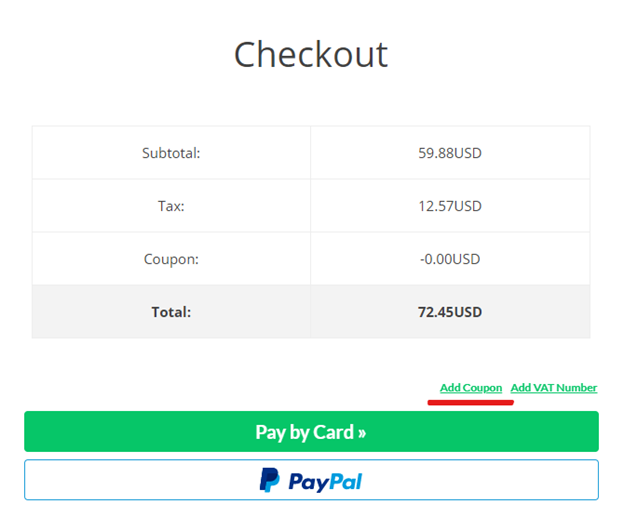
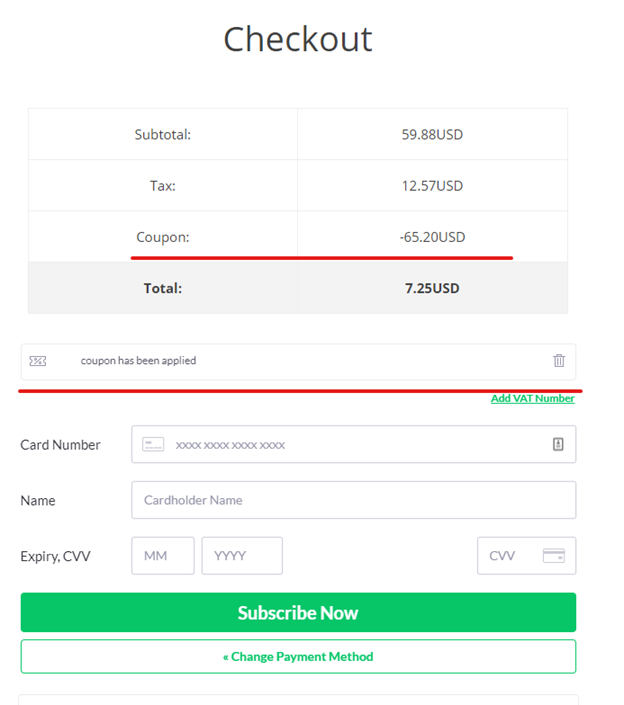
After you type in your discount code, confirm it by clicking the Add coupon button. You can then see whether your coupon has been applied correctly and the amount of your discount.
Need help?
If your coupon code is not working or you are unsure how it should be applied, contact us at info@driveuploader.com and we will be happy to help.
