DriveUploader allows you to change the language of the uploader interface so that it matches the language of your users. This affects the text shown on the uploader page, such as buttons, instructions, and system messages.
You can change the language in the uploader settings at any time.
Changing the uploader language
- Log in to your DriveUploader account.
- Go to My uploaders.
- Open the uploader you want to modify.
- Navigate to the Look & Feel tab.
- Find the Language option.
- Select the language you want to use from the dropdown menu.
- Click Save to apply the changes.
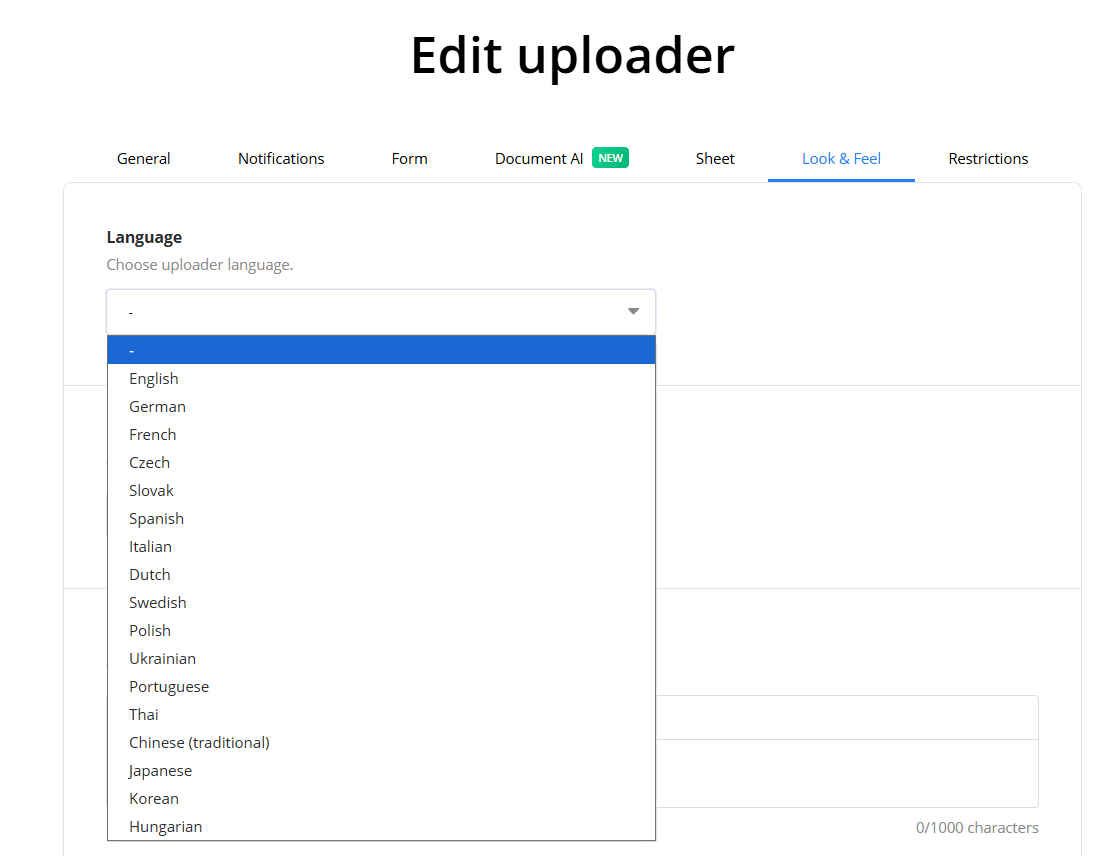
The uploader interface will now appear in the selected language.
Available languages
DriveUploader currently supports the following uploader interface languages:
- English
- Spanish
- French
- German
- Italian
- Portuguese
- Dutch
- Czech
- Polish
- Hungarian
Additional languages may be added in the future.
What the language setting affects
Changing the uploader language updates the default interface text shown to users, including upload buttons, instructions, and system messages displayed during the upload process.
It does not change any custom text you have entered yourself, such as uploader titles, descriptions, or form field labels.
