You can cancel your DriveUploader subscription at any time. Once cancelled, your subscription remains active until the end of the current billing period and will not renew automatically.
There are two ways to cancel your subscription.
Option 1: Cancel from the Billing page
- Log in to your DriveUploader account.
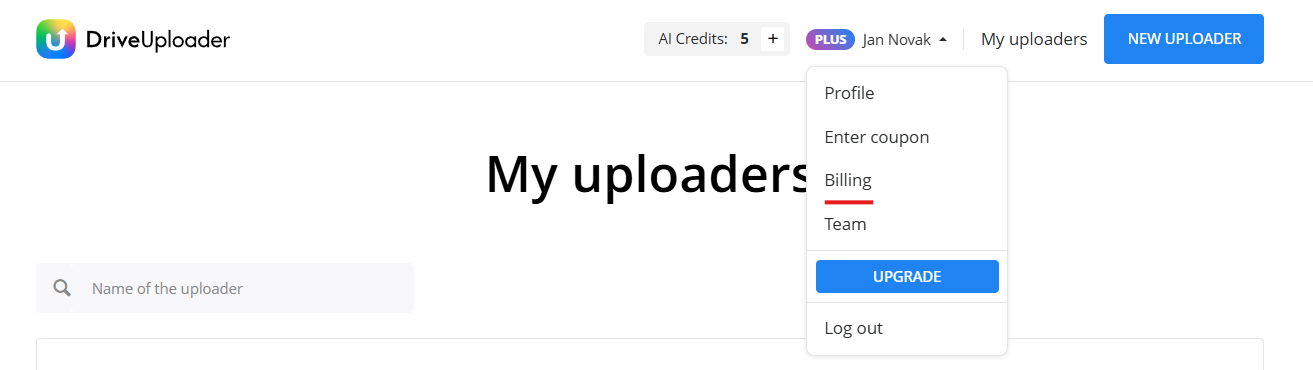
- Click your profile name in the top-right corner.
- Select Billing.
- Click Cancel subscription.
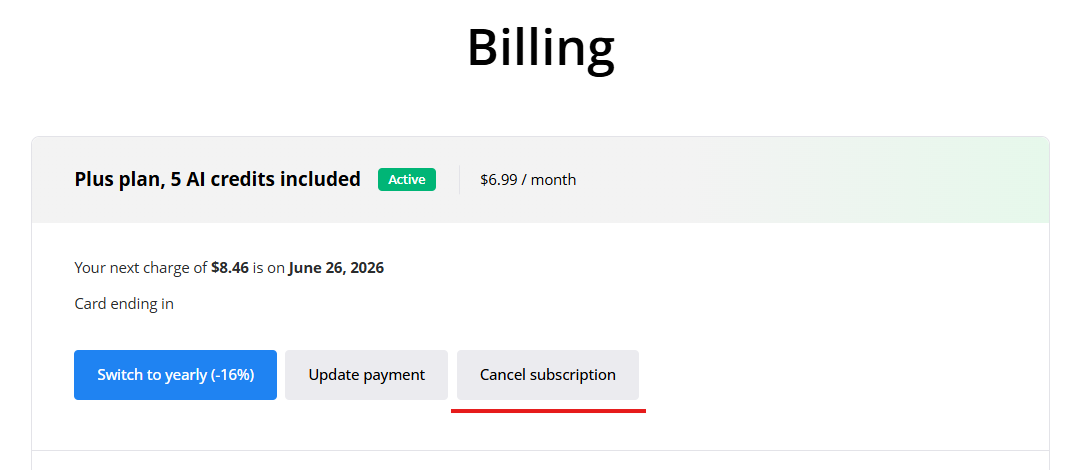
- Confirm the cancellation when prompted.
Your subscription or trial will remain active until the end of the current billing period. After that, your account will automatically switch to the Free plan.
Option 2: Cancel from the Pricing page
You can also cancel your subscription directly from the Pricing page.
- Open the Pricing page.
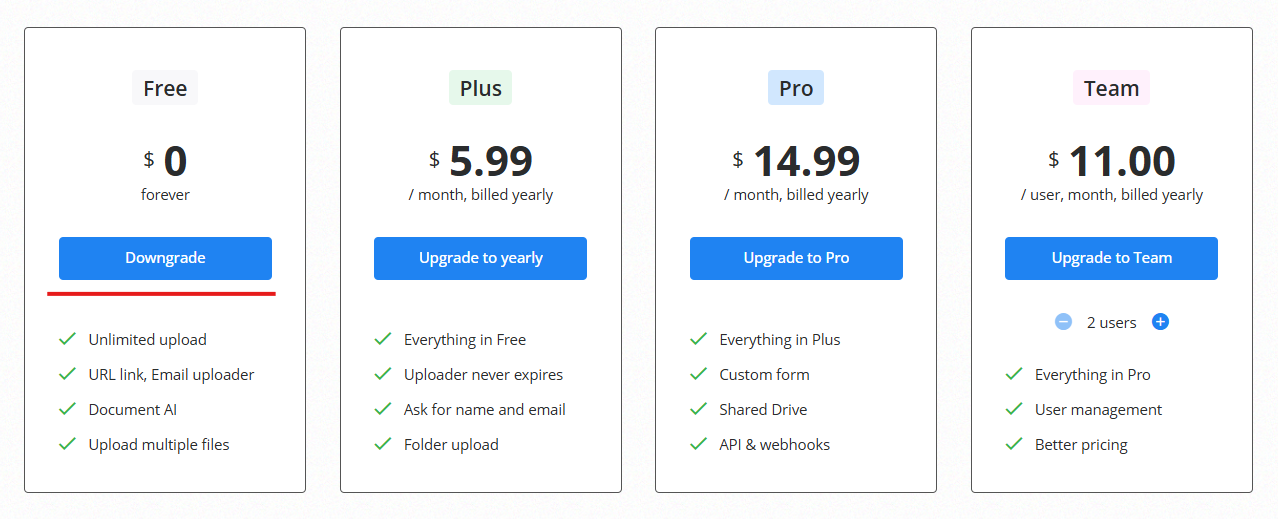
- Locate your current plan.
- Click Downgrade.
- Confirm the downgrade.
After cancellation, your paid subscription will not renew, and your account will switch to the Free plan when the current billing period ends.
What happens after cancellation?
When your paid subscription expires:
- Your account will switch to the Free plan.
- Existing uploaders will remain in your account.
- Features that require a paid plan may no longer be available.
- You can upgrade again at any time.
Can I reactivate my subscription?
Yes. You can upgrade back to a paid plan at any time from the Pricing page.
Need help?
If you experience any issues when cancelling your subscription, contact us at info@driveuploader.com and we will be happy to help.
