You can upgrade or downgrade your DriveUploader plan at any time. This article explains how to change your plan and what happens to your features, uploaders, and billing.
Changing your plan
To upgrade or downgrade your plan:
- Go to the Pricing page
- Choose the plan you want
- Click Upgrade, Switch plan, or Downgrade
- Complete the payment process if required
Your plan will be updated based on the type of change.
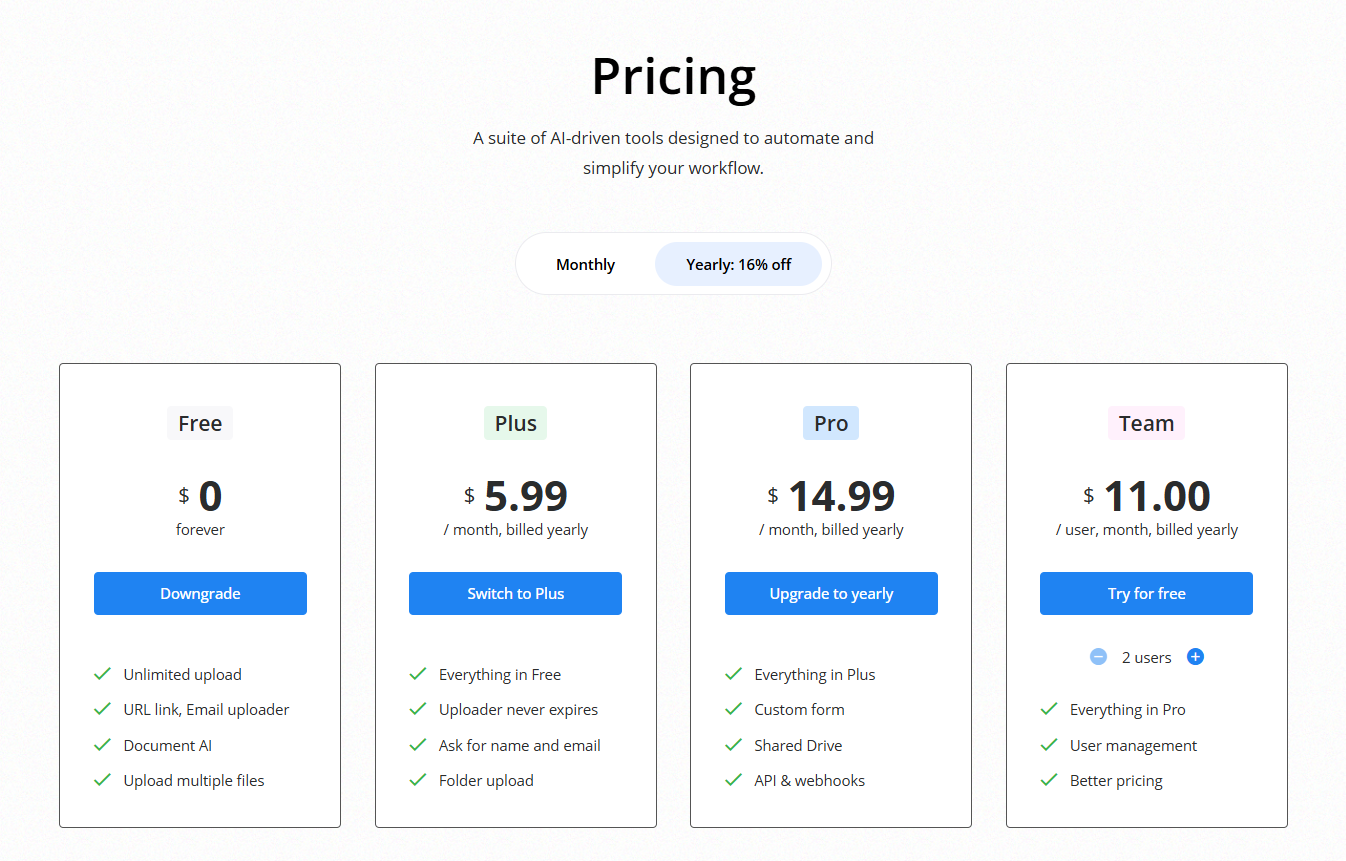
What happens when you upgrade
When you upgrade to a higher plan (for example from Free to Plus or Pro), the change takes effect immediately.
After upgrading:
- New features are available right away
- Existing uploaders continue to work without interruption
- Previous limitations are removed
For example, upgrading from Free to Plus removes the 24-hour expiration limit.
What happens when you downgrade
When you downgrade to a lower plan, the change takes effect at the end of your current billing period.
Until then, you can continue using your current plan.
After the downgrade takes effect:
- Only features included in the new plan will be available
- Limitations of the lower plan will apply
What happens to your uploaders
Your uploaders are not deleted when you change your plan.
However, their behavior may change depending on your new plan:
- Some features may stop working
- Uploaders may become limited (for example, expiration on the Free plan)
- Certain settings may need to be adjusted
What happens to your files
All uploaded files remain safely stored in your Google Drive.
Changing your plan does not affect your existing files.
Billing changes
- Upgrades are applied immediately
- Downgrades take effect at the end of the billing cycle
- Charges depend on your selected plan and billing period
